




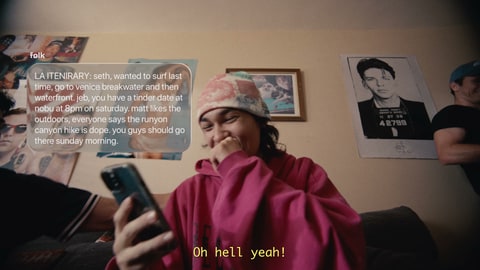






















Save on the go with text-to-save
Easily save inspiration from Instagram just by texting it to Bloom
Connect Bloom with
Join 900+ creatives shaping direction with Bloom
Bloom helps teams research, organize, develop, and align on creative direction.
Used by industry leading creatives working on…
Build a Centralized Library
Optimized for your favorite sources
References shape the feeling and direction behind creative work. But they still live scattered across the internet, our apps, and our memories.
Bloom gives them a home.
Optimized to store, display & organize all your sources.
Storing 64,702+ references for creatives
Get StartedSaving Made Easy
Build your visual library as you go
Easily save inspiration from Instagram just by texting it to Bloom
Connect Bloom with
Pin our Chrome extension to easily save from Frameset, ShotDeck, Pinterest & Cosmos.
Install Chrome Extension
Upload
Drag files or folders directly into Bloom.
Paste Links
Save references instantly from copied links.
Text-to-save
Text inspiration straight from your phone.
Capture while you browse the web.
Importing
Connect Pinterest & Vimeo to import pins and likes
Vimeo
Import all your likes
Bloom has completely streamlined my project prep. Now all my references live in one place, instead of being scattered across eight different platforms.
Brooklyn Phillips
Director
Shape Ideas into Direction
Shape ideas as they take form.
Create visual boards for projects, pitches, and directions.
Use clusters and sub-boards to structure ideas as they evolve.
Drag, drop, group, and refine references until the direction feels right.
Present Beautifully
Control what collaborators see.
Choose what to share and how it appears. Set the permissions for what collaborators can do.
Allow viewers to
Review & Approvals
Review, comment, and align in one place.
Comment in Context
Leave feedback directly on the references and ideas being discussed.
Invite Collaborators
Bring teammates, clients, and partners into the right workspace or board.
Manage Access
Control who can view, comment, edit, download, or share.
Share Externally
Send polished presentation links without giving edit access.
Keep Feedback Together
Centralize comments, notes, and decisions around the work.
Work Across Teams
Collaborate with internal teammates and external partners in one place.
Creative Intelligence
Our vision is to build technology that deepens human creativity. Bloom uses AI to preserve and connect the context behind your work, making it easier to search, understand, and build on over time.
Search by subject, mood, style, or visual detail.
Go beyond collecting references. Understand the visual language, mood, and direction behind them.
Found on altovisuals.com
Work with Agents
So you can spend more time shaping ideas.
Research Agent
Search across selected creative sources in natural language, using mood, movement, styling, cinematography, and direction.
8 references · 2 clusters


Text Agent
Text Bloom a reference, send it to the right place, and add a note before the thought disappears.
Start free and upgrade as your library and team grow.
Free
billed annually
For trying Bloom
$7/mo
billed annually
Start building your visual library
$18/member/mo
billed annually
For creative professionals
$35/mo
billed annually
For agency, studio & brand teams
FAQ
Bloom is a workspace for creative thinking. It helps you collect references, organize visual research, develop ideas, and share creative direction with your team or clients.
Bloom is built for creatives and creative teams: directors, cinematographers, designers, photographers, art directors, creators, freelancers, studios, and agencies. It supports the full range of creative work, from commercials, campaigns, and music videos to editorial, photography, and brand identity.
You can save links, posts, images, videos, GIFs, and other files. You can upload directly, import existing collections, use the Chrome extension, or text references to Bloom as you find them.
Send Bloom a link, image, or video over text and it will save it to your workspace. It is designed for the moments when you find something on your phone and do not want to interrupt what you are doing to organize it.
Yes. You can create shared workspaces, organize references into boards, leave comments, and collaborate on creative direction in one place. Bloom is built for the way creative work moves between freelancers, studios, agencies, and clients.
Yes. You can turn a board into a presentation link and share it externally. Depending on your settings, viewers can search within the presentation, leave comments, favorite references, and download selects without needing to join your workspace.
Those tools are useful for collecting inspiration. Bloom is built for the full creative workflow around it. References can become organized research, boards, presentations, feedback, and a lasting record of the thinking behind a project.
Yes. Bloom uses AI to make your creative context easier to search, understand, and build on over time. We believe AI should deepen human creativity, helping you focus on shaping ideas, making decisions, and developing stronger creative direction.
Sign up at app.bloom.site to create your workspace. From there you can upload references, import existing collections, install the Chrome extension, or text references to Bloom as you find them.
Disclaimers & Footnotes
© 2026 Alto Creative Technology Inc.
Google Chrome is a trademark of Google LLC. Pinterest is a trademark of Pinterest, Inc. Vimeo is a trademark of Vimeo.com, Inc. iMessage is a trademark of Apple Inc. WhatsApp is a trademark of WhatsApp LLC, a subsidiary of Meta Platforms, Inc. ChatGPT is a trademark of OpenAI, Inc. Claude is a trademark of Anthropic, PBC. Perplexity is a trademark of Perplexity AI, Inc. Grok is a trademark of xAI Corp. Google and Gemini are trademarks of Google LLC.
All third-party trademarks, logos, and brand names are the property of their respective owners. Use of these names, logos, and brands does not imply affiliation, endorsement, or sponsorship by Bloom.
Where creative thinking begins.